Lead Form Phone Validation for Meta and LinkedIn
Native lead forms are excellent at collecting volume. They are not a quality gate. If a submitted phone number is invalid, a landline, or a disposable VoIP line, your campaign still pays for the lead and your sales team still has to discover the problem later.
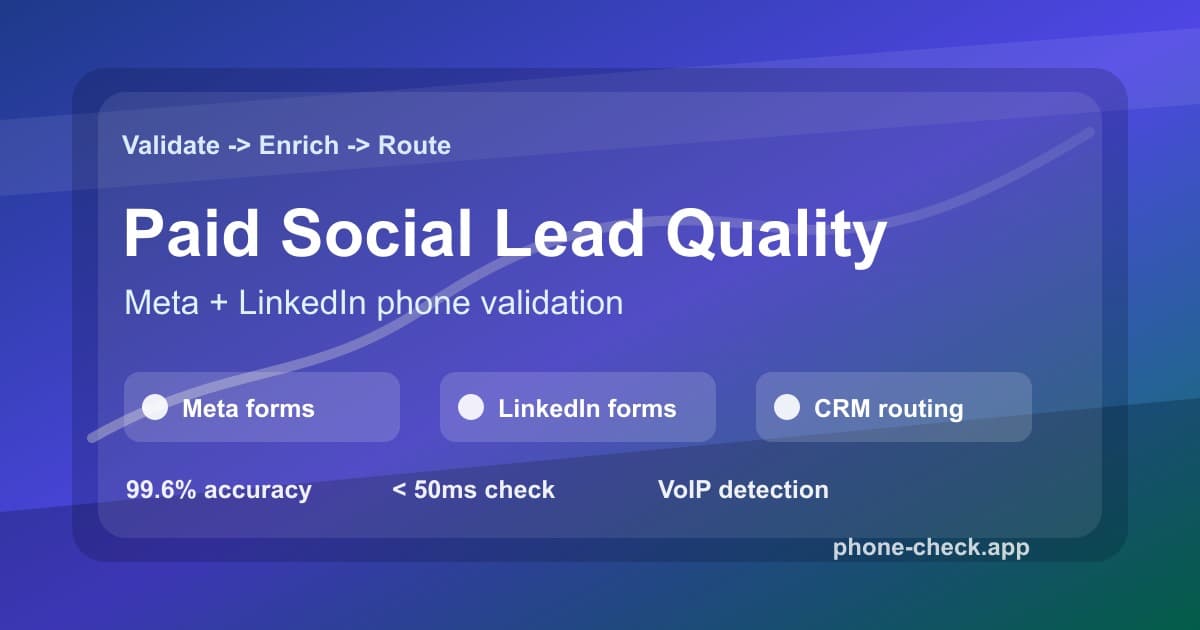
Why Paid Social Lead Forms Need a Phone Quality Layer
Paid social teams often celebrate low cost per lead while sales teams quietly complain that no one picks up. The conflict is simple: the ad platform sees a completed form, but revenue teams need a reachable person. A phone number can look complete and still be wrong for the workflow.
Meta and LinkedIn forms can prefill contact details from profile data. That reduces friction, but it also means the phone number may be old, personal instead of work-owned, attached to a main office line, or unsuitable for SMS. A landing page form has the opposite risk: the buyer types the number manually, so typos, fake values, and disposable numbers slip in.
Phone validation gives marketing, RevOps, and sales the same decision record: validate the number, enrich it with line type, carrier, country, and timezone, then decide whether that lead belongs in fast follow-up, fallback, review, or suppression.
Native Form vs Website Form Validation
| Lead source | Best fit | Phone risk | Validation move |
|---|---|---|---|
| Native Meta Instant Forms | Fast paid-social volume and broad prospect capture | Prefilled numbers can be stale, personal, unreachable, or never checked before CRM sync. | Validate after webhook receipt, then route only qualified mobile numbers to urgent follow-up. |
| LinkedIn Lead Gen Forms | B2B campaigns where work profile data fills the form quickly | Phone fields may reflect old profile data, main-office lines, or numbers that do not accept SMS. | Validate the lead response before SDR assignment and write line type plus carrier back to the CRM. |
| Website Landing Page Forms | High-consideration offers where you control the full form experience | Typed numbers include formatting errors, intentional junk, and disposable VoIP numbers. | Run real-time validation on submit so the buyer can correct the number before the lead is saved. |
The Validate, Enrich, Filter, Route Workflow
Capture platform source and consent context
Record whether the lead came from Meta, LinkedIn, a website form, or a partner sync, plus the campaign, form name, opt-in copy, and submitted timestamp.
Validate the submitted phone number
Normalize the number, check validity, and detect whether it is mobile, landline, fixed VoIP, non-fixed VoIP, toll-free, or disconnected before CRM assignment.
Enrich with carrier and timezone
Add carrier, country, region, and timezone fields so revenue teams can route contacts by reachability and local calling windows.
Apply a paid-social routing rule
Send valid mobile leads to fast follow-up, move landlines to voice or email fallback, hold ambiguous VoIP for review, and suppress invalid numbers.
Write quality signals back to the CRM
Store validation status, line type, carrier, timezone, source campaign, and routing decision so reporting can optimize for qualified leads instead of raw form volume.
How to Route Leads After Validation
| Segment | Signal | Routing | Why it matters |
|---|---|---|---|
| Sales-ready mobile | Valid mobile, known carrier, local timezone | Send to SDR queue and SMS confirmation | The number can receive mobile follow-up and the team knows when to call. |
| Voice or email fallback | Landline, toll-free, or office switchboard | Keep in CRM, remove from SMS sequences | The record may still be useful, but it is not eligible for mobile messaging. |
| Manual review | Fixed VoIP, ambiguous carrier, high-value account | Hold for enrichment or rep review | Some business VoIP numbers are legitimate, but they need a different follow-up path. |
| Suppression | Invalid, disconnected, non-fixed VoIP, disposable | Suppress from dialer, SMS, and paid-social feedback | Bad numbers should not train ad platforms or consume sales capacity. |
API Example: Score a Paid Social Lead Before CRM Assignment
The webhook handler should be boring and fast. Validate the phone number, store the result, and return a routing decision that your CRM can use. The check runs in under 50ms on average, so it fits into real-time intake without slowing down sales alerts.
type PaidSocialLead = {
  campaignId: string;
  email: string;
  formName: string;
  phone: string;
  platform: 'meta' | 'linkedin';
};

type LeadDecision = 'sales_ready' | 'fallback' | 'review' | 'suppress';

async function scorePaidSocialLead(lead: PaidSocialLead): Promise<LeadDecision> {
  const url = new URL('https://api.phone-check.app/v1-get-phone-details');
  url.searchParams.set('phone', lead.phone);

  const response = await fetch(url, {
    headers: {
      accept: 'application/json',
      'x-api-key': process.env.PHONE_CHECK_API_KEY ?? '',
    },
  });

  if (!response.ok) {
    return 'review';
  }

  const phone = (await response.json()) as {
    carrier?: string;
    isDisposable?: boolean;
    timezones?: string[];
    type?: string;
    valid?: boolean;
  };

  if (!phone.valid || phone.isDisposable) {
    return 'suppress';
  }

  if (phone.type === 'MOBILE') {
    return 'sales_ready';
  }

  if (phone.type === 'LANDLINE' || phone.type === 'TOLL_FREE') {
    return 'fallback';
  }

  return 'review';
}
The exact field names in your CRM can be simple: phoneValid, phoneType,phoneCarrier, phoneTimezone, phoneRiskReason, andpaidSocialRouting. That is enough to report by platform, form, audience, and campaign.
Keep Bad Numbers Out of Feedback Loops
Paid social optimization improves when the downstream signal is honest. If every form submission becomes a marketing-qualified lead, the platform learns to find more form submitters. If only reachable, validated leads become qualified conversions, the feedback loop starts to favor quality.
This is especially important for teams that sync offline conversion events, booked appointments, or sales accepted leads back into ad platforms. Send the platform quality signals after validation, not before it. A disconnected number, landline-only record, or disposable VoIP lead should not teach the algorithm what a good customer looks like.
The same logic helps sales managers. A rep who receives validated mobile leads can prioritize speed-to-lead. A rep who receives landlines and ambiguous VoIP can work those with a different playbook instead of burning the same urgent SLA on every source.
FAQ
Can I validate phone numbers inside Meta or LinkedIn native lead forms?
Native lead forms usually do not let you run your own phone validation logic before submission. The practical pattern is to validate immediately after the platform sends the lead to your CRM or webhook. If the offer is high value, use a website landing page so validation can happen on submit.
Should paid social teams block every VoIP number?
No. Non-fixed VoIP and disposable numbers should usually be suppressed or reviewed because they are easy to create in volume. Fixed VoIP can belong to legitimate businesses, so B2B teams often route those records to manual review or email-first follow-up.
How does phone validation lower cost per qualified lead?
It removes invalid, landline, and risky numbers from the urgent follow-up path. Your raw cost per lead may not change, but sales time, SMS spend, and CRM noise drop because only reachable leads enter high-cost workflows.
What fields should I save after validating a paid social lead?
Save validation status, normalized E.164 number, line type, carrier, country, timezone, risk reason, source platform, form name, campaign, and routing decision. Those fields let marketing and sales compare lead quality by source.