Black Friday SMS List Cleaning: Cut Campaign Waste in 2026
Phone-Check.app Team · · 8 min read
Before you reserve holiday messaging capacity, count the phone numbers you can reasonably send to. An audience containing old landlines, invalid entries, and duplicate imports overstates demand. It also hides the customers who need an updated contact record before your Black Friday offer arrives.
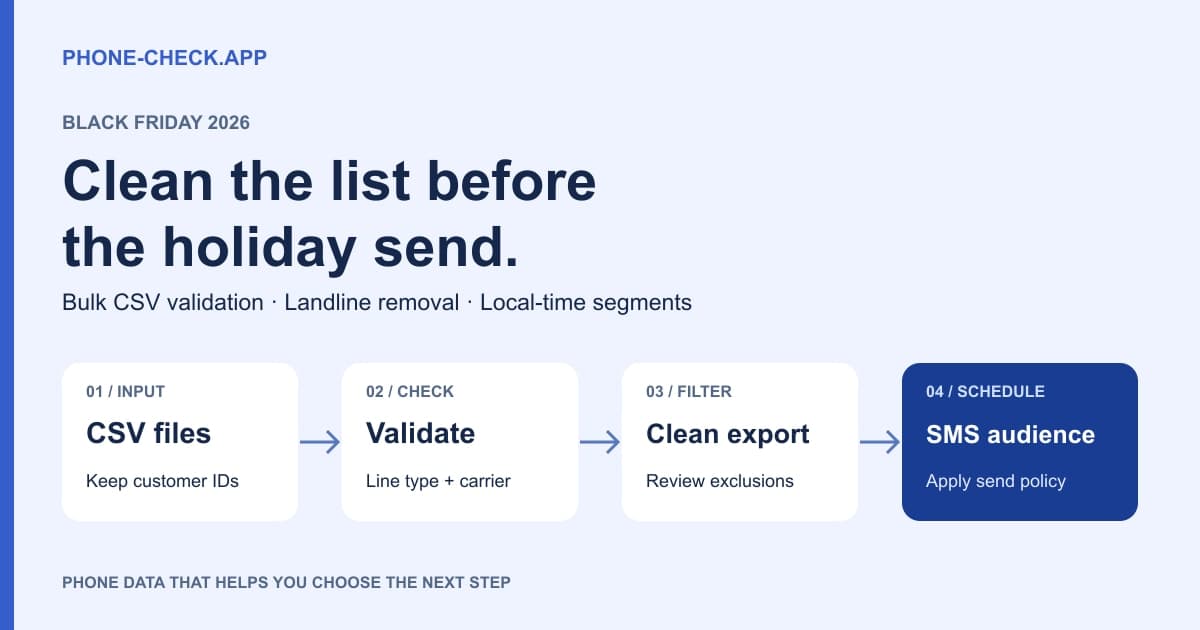
Why BFCM audience quality matters in 2026
Twilio announced a holiday Heightened Awareness Period running from November 19, 2026 through January 4, 2027. Its September guidance asks high-volume senders to discuss holiday throughput needs by October 31. Those dates concern Twilio customers; confirm your own messaging provider’s arrangements instead of assuming every network follows the same schedule.
Use that planning conversation to bring a validated audience forecast. Your SMS provider manages sending capacity. Phone-Check.app helps you examine the destinations before they enter that queue. Removing unusable records reduces avoidable attempts, although validation cannot bypass throughput limits, carrier filtering, or sender registration requirements.
Build the forecast by country, line type, and expected message segments. A campaign with two messages per person can consume more than twice the capacity of a one-message campaign if longer text creates additional billable segments. Report recipients and segments separately to finance and the delivery team.
Use a repeatable CSV cleaning workflow
Run the first cleanup while there is time to correct customer data. Recheck new or changed numbers near launch, then apply the latest suppression list immediately before sending. For an existing database, bulk processing is easier to reconcile than asking a marketer to make thousands of individual API requests.
Phone-Check.app supports multiple CSV uploads and asynchronous validation jobs. Its published product figures are 99.6% validation accuracy, coverage across 232 countries, and average single-number responses below 50ms. The response-time figure describes a lookup, not the time required to process an entire uploaded list.
For a practical import check, take a small sample from each source file and follow those customer IDs through the completed export. Confirm that phone digits have survived spreadsheet formatting, country context is intact, and the selected column really contains phone numbers. An order ID accidentally selected as a phone column can produce a clean-looking file with useless results.
Write down the reason behind each exclusion. Separate invalid numbers from unsupported line types, missing permission, and duplicate recipients. This lets the marketing team fix the source of waste. If one acquisition form supplies most invalid entries, repair that form before buying more traffic. If a sales export supplies landlines, change its destination segment instead of judging the leads as poor quality.
How to clean a Black Friday SMS list before launch
1. Export the audience with customer identifiers
Export phone, customer ID, country context, subscription status, and collection source from each system. Keep consent records attached to their customer IDs. Save an untouched source copy. Treat unknown permission as a hold condition; a valid phone number cannot supply missing permission.
2. Upload and validate each CSV
Open the bulk checker, upload multiple CSV files, select the phone column for each file, and submit the jobs. The uploader removes empty phone rows and duplicates within its preprocessing workflow. Reconcile overlapping customers across files yourself before combining the final audience.
3. Enrich with line type, carrier, and timezone
Wait for each batch to finish and inspect its results. Keep the returned validity, line type, carrier, country, disposable flag, and timezone alongside the original customer ID. Record the validation date so later imports do not silently replace a recent decision with stale data.
4. Filter the export for campaign eligibility
Download results without landlines, then retain _Valid = Yes. For a conservative mobile-only campaign, also require _Type = MOBILE and review disposable records. The landline download excludes FIXED_LINE only; it does not automatically remove invalid numbers, VoIP, or ambiguous FIXED_LINE_OR_MOBILE records.
5. Remove excluded numbers from the send audience
Save an eligible export and a separate exclusion file with reasons. Import the eligible records into your messaging platform, reapply its latest unsubscribes, and compare row counts before launch. Remove bad destinations from this campaign while preserving useful customer records for repair or another permitted channel.
Mobile, landline, fixed VoIP, and non-fixed VoIP
Use line type to choose a channel, then use permission and delivery history to decide whether to send. A business landline can be valuable for sales calls even when it is unsuitable for your SMS audience. Likewise, a legitimate customer may use VoIP. A VoIP result is a routing signal, not proof of fraud.
Fixed VoIP generally has an association with a physical location; non-fixed VoIP does not require the same location tie. Both can have messaging capabilities that vary by provider. Phone-Check.app’s documented lookup returns a type field but does not promise separate fixed-VoIP and non-fixed-VoIP fields. Do not invent that distinction in an export.
| Line type | SMS suitability | Campaign action |
|---|---|---|
| Mobile | Usually a candidate; delivery still varies | Keep valid, permitted records |
| Landline / FIXED_LINE | Do not assume text support | Remove from the mobile campaign |
| Fixed VoIP | Provider-dependent | Review capability and customer history |
| Non-fixed VoIP | Provider-dependent; may be portable | Review; apply a stated VoIP policy |
| FIXED_LINE_OR_MOBILE / unknown | Unresolved | Hold for review or another channel |
Turn carrier and timezone data into better segments
Group your eligible audience by returned carrier and country, then compare delivery reports within those groups. A concentrated failure pattern warrants investigation with the sending provider. Carrier detection improves diagnosis and routing decisions; it does not increase deliverability by changing a number’s network or making an unsupported destination reachable.
Phone prefixes alone are a poor carrier-routing rule when numbers can be ported. Use the returned carrier information and refresh it when your campaign needs current data. If the lookup does not provide a separate portability status, leave it unknown rather than inferring a porting event from a changed carrier label.
For time-based segments, prefer a customer-confirmed timezone. Use returned IANA timezone names as a fallback, accounting for daylight-saving changes. A phone’s geographic association is not live location. If multiple timezones are plausible, hold the record for a conservative scheduling rule instead of selecting the first value without review.
Test a useful local window, such as late morning, against your own engagement history. That is an experiment, not a universal best time or a legal sending window. Match the offer to a confirmed market and language preference. Carrier and country data cannot tell you a customer’s interests, income, or preferred language.
Calculate SMS savings before promising a percentage
Consider an illustrative retailer with 100,000 records and a two-message promotion. At an assumed $0.02 per billable segment, with one segment per message, its original send budget is $4,000. Removing 40,000 ineligible destinations leaves 120,000 segments and a $2,400 send budget: $1,600, or 40%, less sending spend.
If validation costs an assumed $200, net savings become $1,400, or 35% of the original budget. These are example inputs, not Phone-Check.app prices or a customer case study. Use your actual lookup price, destination rates, carrier fees, and segment counts. Do not count an avoided attempt as cash saved unless your provider would have billed it.
Delivery rate requires its own denominator. An illustrative change from 73% to 96% is 23 percentage points, not 23% more delivered messages. A smaller, cleaner audience can have a higher rate while receiving fewer messages overall. Track delivered messages, orders, margin, and unsubscribes alongside the percentage.
Use the same discipline for fraud claims. An 87% reduction would require, for example, confirmed abusive events to fall from 1,000 to 130 under comparable measurement. It cannot be inferred from the number of VoIP records removed. Holiday signup forms still need request limits, bot controls, and messaging-provider fraud protections.
Validate new signups with the phone validation API
Bulk cleanup fixes the stored audience. A server-side lookup checks new popup, loyalty, and checkout submissions before they enter that audience. The request below uses the documented endpoint and API-key header. Run it on your server and keep credentials out of browser code, analytics events, and shared spreadsheets.
Inspect valid, type, carrier, country, isDisposable, and timezones in the response. Keep the original input for correction, and use number as the normalized value when returned. A successful HTTP response means the request completed; the valid field supplies the phone-validation result. Timeouts and rate limits need retry or review handling.
curl --get "https://api.phone-check.app/v1-get-phone-details" \
  --data-urlencode "phone=+14155552671" \
  --header "accept: application/json" \
  --header "x-api-key: $PHONE_CHECK_API_KEY"
Check the final audience before the first send
Ask one operations owner to reconcile source rows, excluded rows, and imported recipients. Test a small permitted segment, review delivery receipts, and check that the offer has not expired by the time a queued message arrives. Compare carrier groups before increasing volume. Keep urgent order updates separate from promotional batches.
For B2B holiday outreach, preserve validated company switchboards for the sales team instead of deleting the accounts. For retail, use a permitted email route to request a corrected number. These decisions protect contact quality without treating every non-mobile customer as a lost lead.
Frequently asked questions
Does removing landlines also remove invalid phone numbers?
No. The current landline export excludes FIXED_LINE records. Apply _Valid = Yes separately, then add your mobile, VoIP, disposable-number, permission, and suppression rules before importing the audience.
Can validation identify every disconnected or void number?
No. Invalid results can remove unusable entries, but the basic lookup is not a guaranteed live connection test. Combine validation with delivery feedback and any separately confirmed line-status capability; do not label every failed SMS as disconnected.
Can I upload several campaign CSV files?
Yes. Select the phone field for each upload, track each batch to completion, and download its results. Reconcile customer IDs and normalized numbers across exports so overlapping lists do not create duplicate holiday sends.
Will a clean list prevent SMS pumping?
List cleaning reduces unsuitable destinations in planned campaigns. Pumping exploits message-triggering forms or endpoints, so also control request velocity, resends, destination spend, and provider fraud settings before any paid verification message is triggered.
Prepare your holiday audience
Validate a sample, inspect the returned fields, and choose a paid plan for your expected volume.