Twilio Error 30003, 30005, and 30006: Prevent SMS Delivery Failures with Phone Validation
Delivery errors are not only provider logs. They are paid evidence that your list contains unreachable, inactive, or non-SMS-capable numbers. A validation gate catches many of those failures before the message is sent, so SMS spend stays focused on valid mobile contacts.
Quick answer: what should SMS teams do first?
The fastest fix for recurring 30003, 30005, and 30006 delivery errors is to validate every number before it enters the send queue. Normalize the number, verify it is valid, detect carrier and line type, remove landlines and disconnected numbers, and export a clean mobile-only file for SMS.
Potential failure-rate improvement after validation cleanup.
Typical wasted SMS volume removed from dirty lists.
Average real-time validation response for form gates.
Countries covered for global phone validation workflows.
What 30003, 30005, and 30006 usually mean
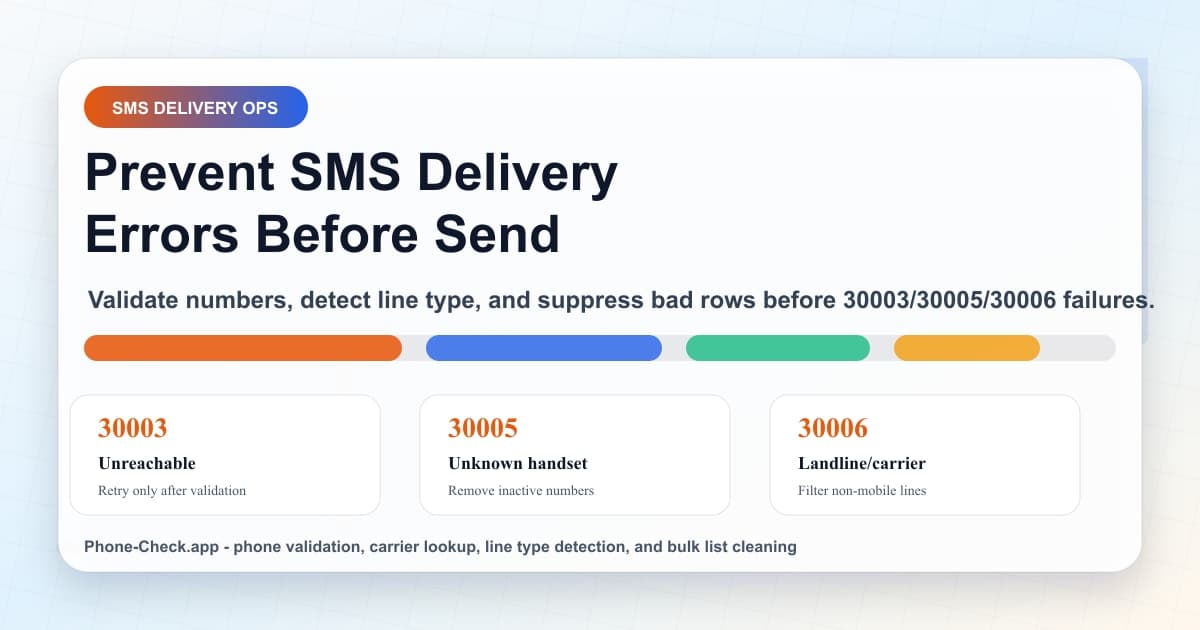
Provider error codes are useful because they point back to a list-quality decision. Twilio documents 30003 as an unreachable handset, 30005 as an unknown destination, and 30006 as a landline or unreachable carrier issue. The prevention work happens upstream.
| Code | Meaning | Likely data issue | Prevention rule |
|---|---|---|---|
| 30003 | Unreachable destination handset | The handset is unavailable, unsupported for SMS, roaming, or attached to an unreachable carrier. | Validate before send, flag disconnected records, and route uncertain numbers to a smaller retry queue. |
| 30005 | Unknown destination handset | The number may no longer exist, may be inactive, or may be formatted with the wrong country code. | Normalize to E.164, run a phone number validity check, and remove invalid or inactive records from the audience. |
| 30006 | Landline or unreachable carrier | The number cannot receive SMS because it is a landline, an unsupported line type, or on a carrier path that cannot be reached. | Detect mobile, landline, fixed VoIP, non-fixed VoIP, and toll-free line types before the message leaves your system. |
Why retries are a weak default
Retry logic helps when the handset is temporarily offline. It fails when the destination is a landline, a void number, a recycled contact, or a non-fixed VoIP number created to abuse an OTP form. Retrying those records adds cost without adding reach.
SMS marketers feel the problem in two places. First, failed sends inflate cost per reached contact. Second, undelivered traffic pollutes performance reporting. A campaign may look like a copy, offer, or sender issue when the real problem is that 10,000 rows should never have been eligible for SMS.
Phone-Check.app gives teams a cleaner workflow: validate, detect line type, check carrier, identify timezone, filter out invalid or non-mobile rows, then export the clean segment. For forms, the same decision happens in under 50ms before the record is saved.
Build an SMS eligibility rule before the send
Signal: Valid mobile, active carrier, local send window
Action: Send SMS or MMS through the approved campaign
Result: Higher delivery rate and cleaner campaign reporting
Signal: Landline, toll-free, or fixed business VoIP
Action: Remove from SMS and keep the record for another channel
Result: No paid SMS attempt against a number that cannot receive it
Signal: Recently ported, ambiguous line type, or high-value account
Action: Hold the send, enrich the record, or ask sales to confirm
Result: Less false suppression on valuable accounts
Signal: Invalid, disconnected, disposable, non-fixed VoIP, or repeated failures
Action: Remove from campaign exports and future automated sends
Result: Lower failure rate and less spend on unreachable contacts
API example: classify before sending SMS
Put validation between the form, CRM, or campaign export and your SMS provider. The example below returns a simple send decision your application can store next to the contact record.
type PhoneCheckResult = {
  carrier?: string;
  line_type?: 'mobile' | 'landline' | 'fixed_voip' | 'non_fixed_voip' | 'toll_free';
  normalized_phone?: string;
  risk_score?: number;
  timezone?: string;
  valid: boolean;
};

type SmsDecision = {
  allowSms: boolean;
  reason: string;
  normalizedPhone?: string;
};

export async function classifyBeforeSms(phoneNumber: string): Promise<SmsDecision> {
  const url = new URL('https://api.phone-check.app/v1-get-phone-details');
  url.searchParams.set('phone', phoneNumber);

  const response = await fetch(url, {
    headers: {
      accept: 'application/json',
      'x-api-key': process.env.PHONE_CHECK_API_KEY ?? '',
    },
  });

  if (!response.ok) {
    return { allowSms: false, reason: 'validation_unavailable' };
  }

  const result = (await response.json()) as PhoneCheckResult;

  if (!result.valid) {
    return { allowSms: false, reason: 'invalid_or_inactive_number' };
  }

  if (result.line_type === 'landline' || result.line_type === 'toll_free') {
    return { allowSms: false, reason: 'not_sms_capable' };
  }

  if (result.line_type === 'non_fixed_voip' || (result.risk_score ?? 0) >= 70) {
    return { allowSms: false, reason: 'high_risk_or_disposable_number' };
  }

  return {
    allowSms: true,
    normalizedPhone: result.normalized_phone,
    reason: 'valid_mobile_or_reviewed_fixed_voip',
  };
}
The exact endpoint shape depends on your account configuration, but the rule should stay stable: no valid mobile signal, no automatic SMS. High-value exceptions can move to review instead of suppression.
Bulk CSV cleanup for campaign teams
Real-time validation protects forms and checkout flows. Bulk validation protects campaigns. Upload multiple CSV files, map the phone column, validate each row, and download a clean file without landlines, invalid numbers, and high-risk VoIP records.
Open bulk checkerphone,valid,line_type,carrier,timezone,sms_eligible,action
+14155550140,true,mobile,Verizon,America/Los_Angeles,true,send
+14155550141,true,landline,AT&T,America/Los_Angeles,false,voice_fallback
+14155550142,false,unknown,,America/New_York,false,suppress
+14155550143,true,non_fixed_voip,Virtual Provider,America/Chicago,false,review_or_suppressCarrier and timezone data make the fix stick
Carrier lookup does more than label the network. It helps messaging teams understand whether failures are concentrated around a specific carrier, country, acquisition source, or send window. That is valuable when A2P 10DLC registration, sender reputation, or carrier filtering also needs review.
Timezone data prevents another quiet source of waste: valid messages sent when the recipient is asleep, commuting, or outside local business hours. Once the list is valid and mobile-ready, schedule by local time so better data turns into better engagement.
FAQ
Can phone validation prevent every SMS delivery error?
No. Carrier outages, handset power, roaming, content filtering, and sender registration can still affect delivery. Phone validation prevents the avoidable part: invalid numbers, landlines, disconnected records, non-mobile line types, and stale campaign files.
Should I retry messages after a 30003, 30005, or 30006 error?
Retry only after classification. A transient 30003 may deserve a limited retry, but 30005 and repeated 30006 failures usually point to invalid, inactive, or non-SMS-capable destinations. Those records should be cleaned before future sends.
How often should SMS campaign lists be validated?
Validate new leads in real time and run bulk validation before every major campaign. Phone data changes through disconnects, carrier changes, porting, and recycled numbers, so a list cleaned last quarter can still contain expensive failure risk.
What fields should I export after bulk phone validation?
Export the normalized number, validity, line type, carrier, country, timezone, risk reason, SMS eligibility, and suppression reason. Marketing can use the clean file while RevOps keeps the rejected rows for repair or fallback channels.
Related reading
Line Status API: Detect Dead Numbers Before SMS
Use line status checks to remove disconnected and void numbers before campaign spend starts.
Mobile Line Verification for SMS Deliverability
Filter non-mobile records before SMS campaigns and improve delivery from 73% to 96%.
Clean Phone Lists Before SMS Campaigns
Upload CSV files, validate in bulk, remove landlines and invalid rows, then export clean segments.